Blocks
Your home page is different from other pages — it uses blocks, not the standard editorial text area on the right.
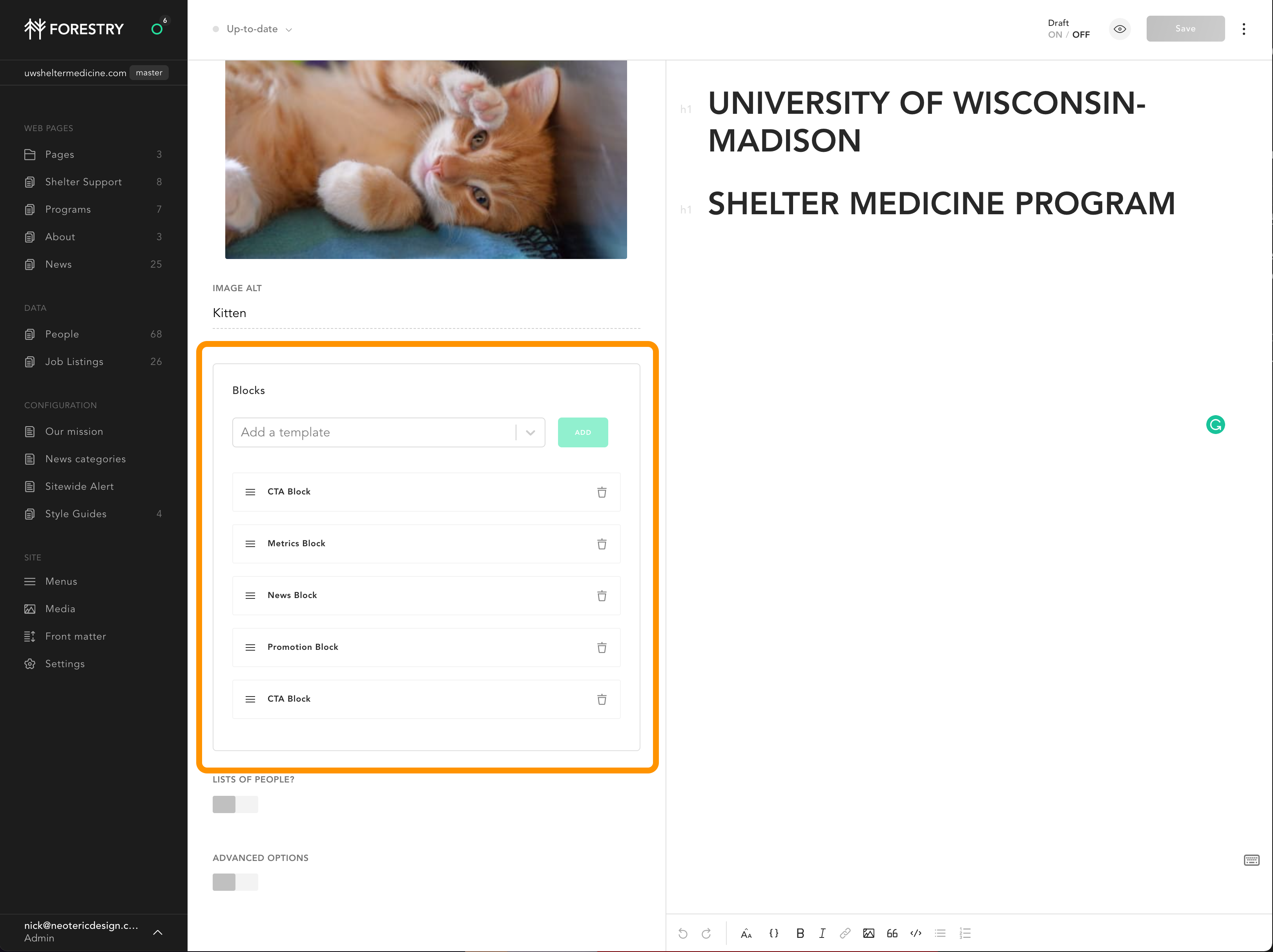
Think of a blocks page layout as a layer-cake: each block creates a single layer on the page, and each layer stacks atop of each other. The different blocks have different attributes, which let them do different things.
- You can add new blocks using the dropdown;
- You can drag and drop blocks into any order you like, using the handle on the left;
- You can delete a block, using the trash icon.
Here are the blocks you can use:
CTA Block
The call to action block has a headline, text, button and image. We use it at the start and end of the home page.
Metric Block
The metric block allows you to add one or many metrics, labeled as you like.
News Blocks
The news block pulls the latest two news articles.
Promotion Block
The promotion block features an image, text, and a button — very useful to promote programs internal to the site, or external, like Virtual Consultant.