Navigation
All of your site navigation is managed in your CMS. There are several areas of navigation:
- The primary navigation bar at the top of the site (Main)
- Secondary navigation under About, Programs, and Shelter Support
To update site navigation, click Menu, and choose which navigation you wish to edit:
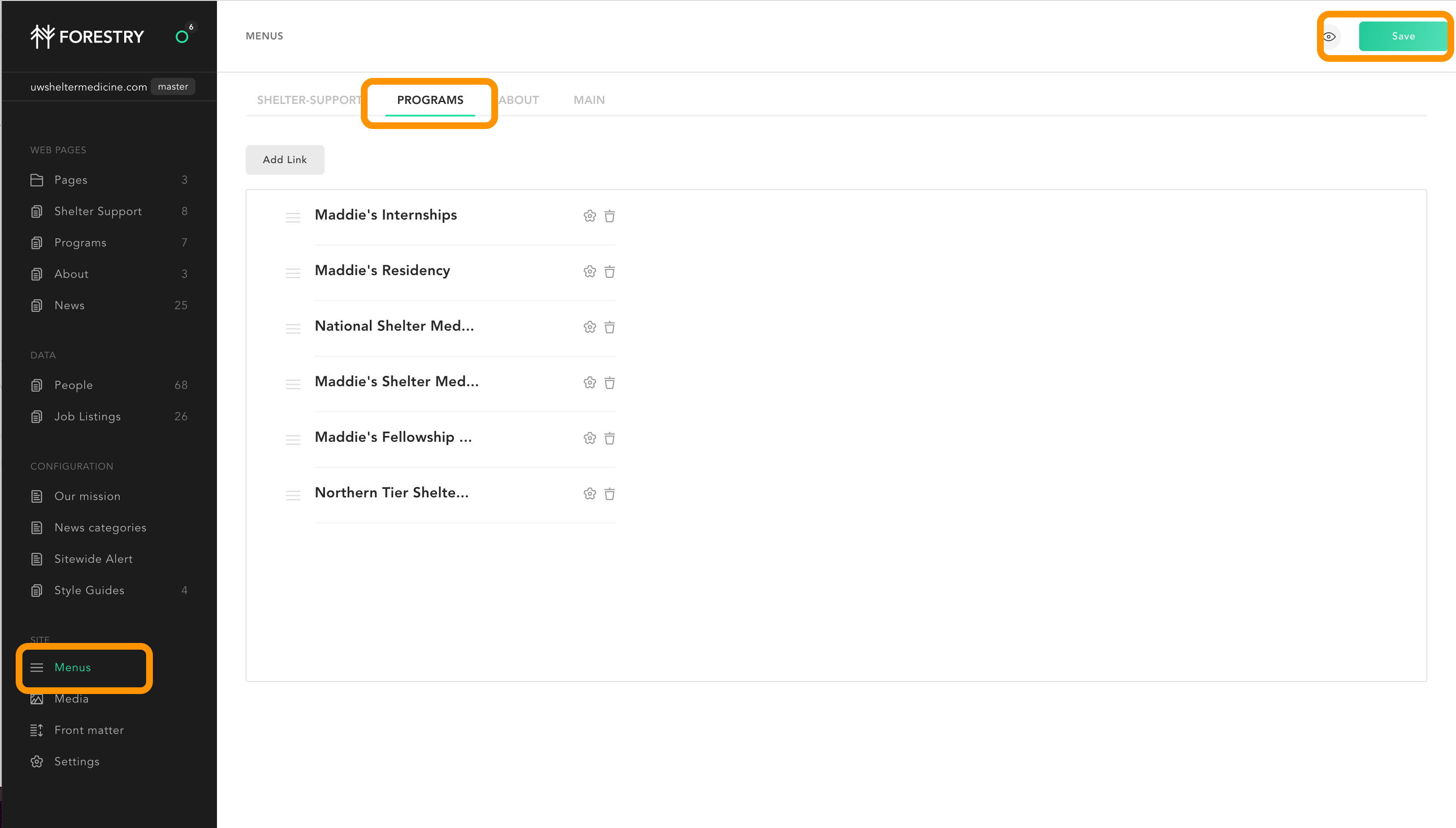
- Drag and drop the menu items to the sort order you wish;
- Delete menu items with the trash can option;
- Add or edit menu items. You’ll see this popup:
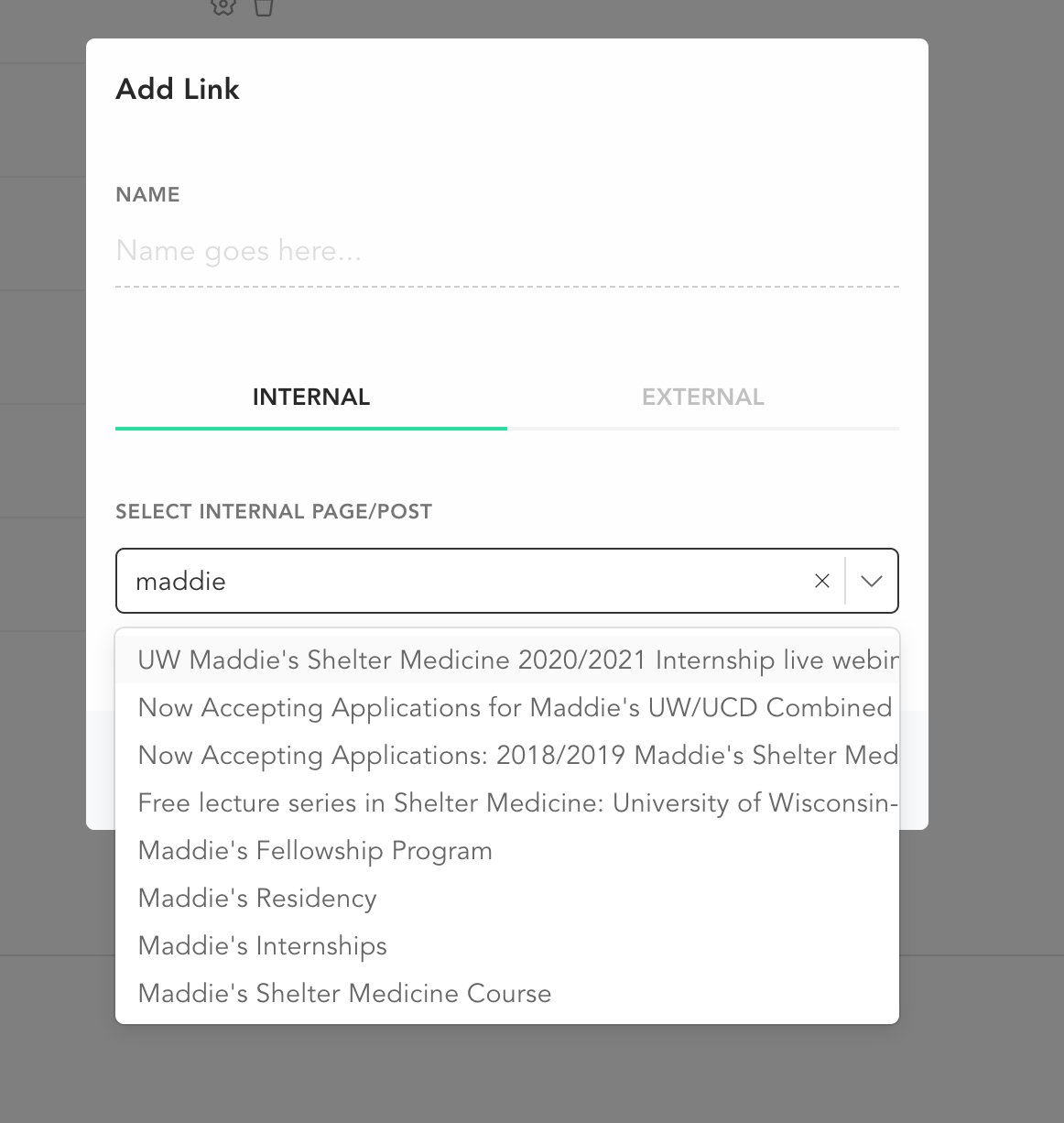
Almost always your menu links will be links to internal pages of the site. Just start to type the title, or use the drop down to select the correct internal page. You can label the link (the name) anything you like.