About HTML and Markdown
Step away from the HTML! You’re a content editor, not a front end developer.
That means, you never work in HTML or any code. In fact, the editor doesn’t accept HTML or Javascript — it’s a security issue. Instead, behind the scenes, you are creating and editing Markdown documents.
For you, editor, this is a huge advantage: no more “switching” to HTML or debugging layouts. Your job is focused strictly on the structure of the text itself: the headers, bolding, links, etc. And there’s no need to get into the details of Markdown — that’s what Forestry does. But it’s interesting to note that:
- Markdown documents are plain text documents
- Markdown is designed to be easily read
- Markdown is a long-term, archivial file format. Anyone can read and edit plain text documents, even well into the future.
How can I see the page Markdown directly?
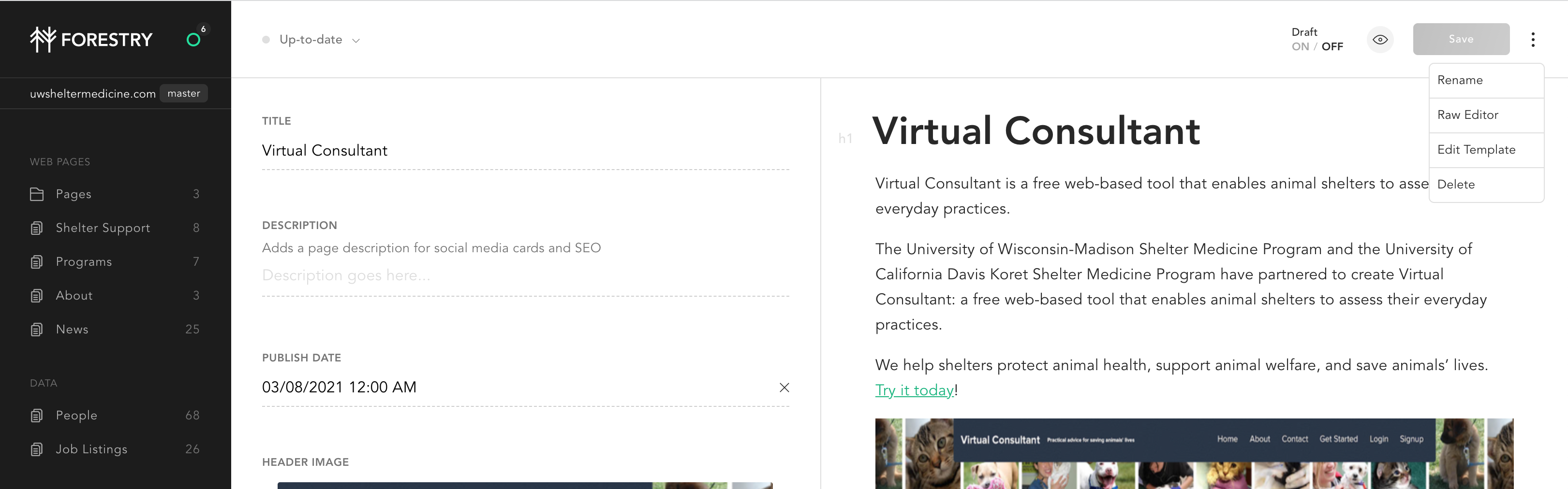
Want to peek behind the scenes? You can easily switch between the WYSIWYG editor and the Markdown editor, using the three dots menu in the upper right hand corner:
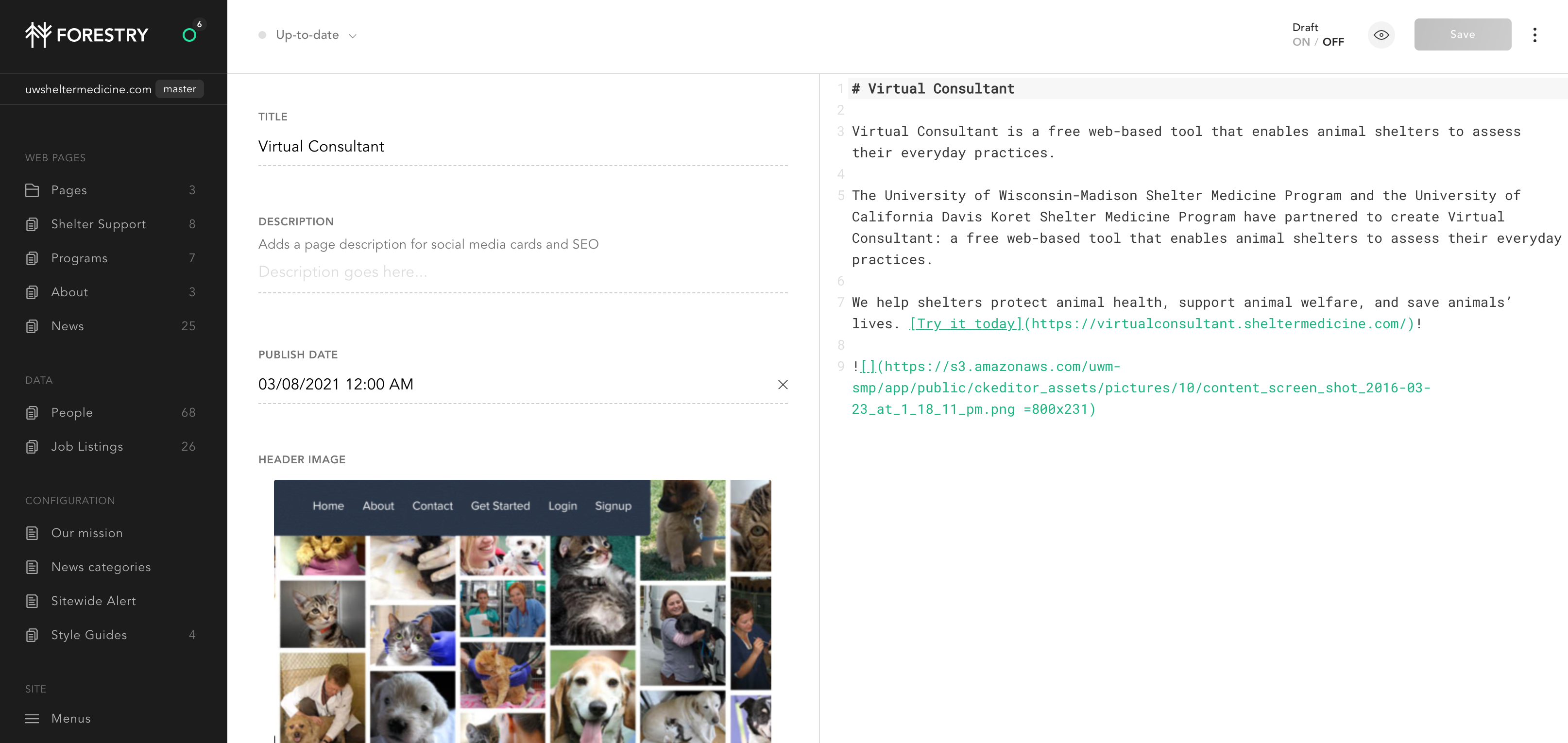
This gives you an editor where you can manage the Markdown directly. Notice how headers are translated to # marks. The number of # marks indicates the level of headers.
But… I need to embed some special HTML or CSS component on the page
Please reach out to Neoteric Design through support, and they can help you.